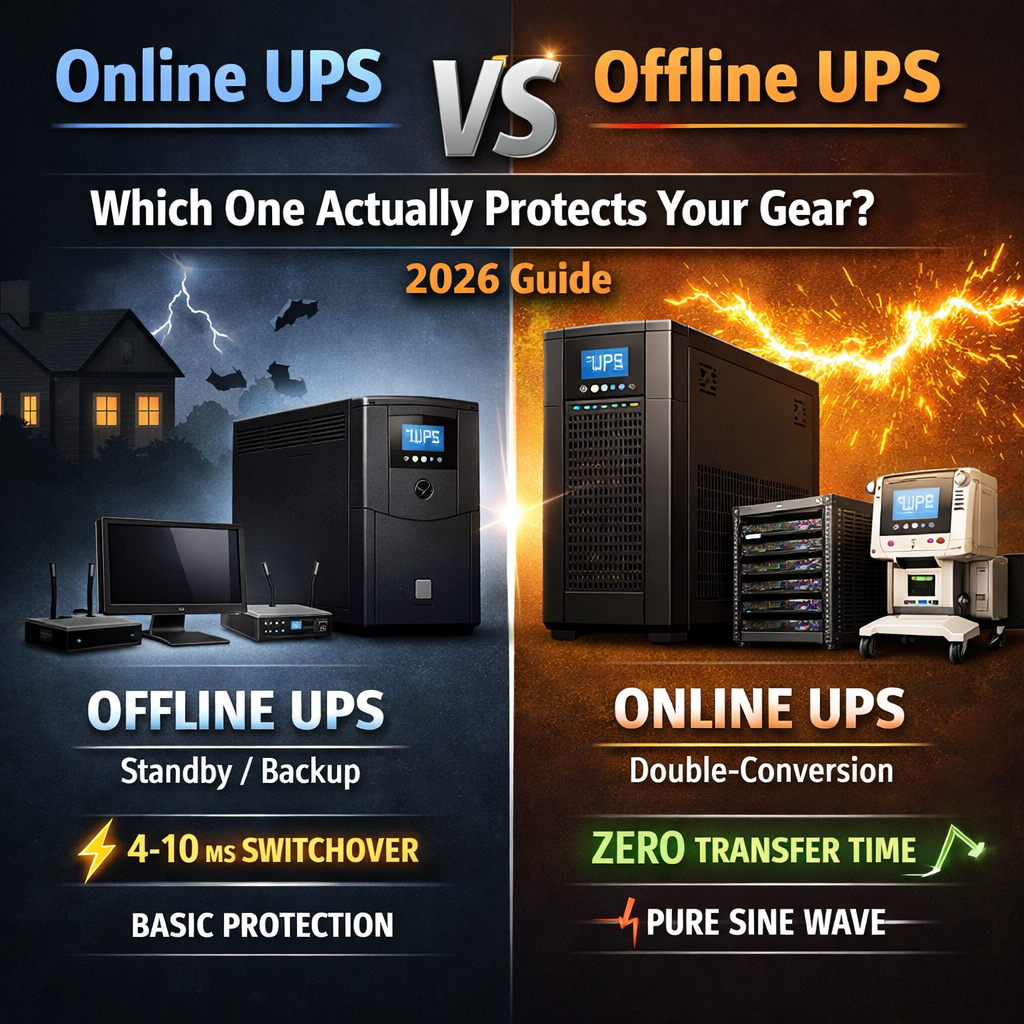
Online UPS vs Offline UPS
Even a split-second power glitch can crash a server, corrupt critical data, or silently damage sensitive electronics — and the frustrating part is that most of the time, you won't even know it happened until it's too late. A voltage spike lasting a few milliseconds can degrade capacitors over time. A brief blackout can cause a RAID array to drop a drive. An unexpected blackout mid-write can corrupt a database that took years to build. These aren't edge cases; they happen every day in homes, offices, and data centers around the world.
That makes choosing the right Uninterruptible Power Supply (UPS) one of the most underrated decisions in any home or business setup. It's not glamorous gear — it sits under a desk or in a rack and does nothing visibly impressive most of the time — but the moment your power goes sideways, it's the only thing standing between your equipment and a very bad day. Yet despite how much is riding on that choice, the decision between Offline UPS (Standby/Backup) and Online UPS (Double-Conversion) still trips up a lot of people. The terminology is confusing, the marketing is vague, and the specs tables rarely explain what actually matters in real-world conditions.
Here's a plain English breakdown of how they actually differ, what each one is genuinely good and bad at, and — most importantly — which one belongs in your setup.
Quick Comparison
Offline / Standby UPS
- Load powered directly from mains during normal operation
- Transfer time of 4–10 ms (sometimes up to 20 ms)
- Usually outputs a modified sine wave
- Basic surge protection only — minimal power conditioning
- Protects mainly against blackouts
- Very high efficiency: 95–98%
- Low heat and noise output
- Much cheaper upfront cost
- Best for home PCs, printers, routers, and basic SOHO setups
Online / Double-Conversion UPS
- Load always powered through the inverter — never directly from mains
- Zero transfer time — completely seamless failover
- Outputs a clean, pure sine wave
- Full isolation and filtering of all power disturbances
- Protects against blackouts, sags, surges, spikes, line noise, and frequency drift
- Efficiency of 85–94% (newer models often exceed 90%)
- Higher heat output — fan usually runs constantly, making it noisier
- Significantly more expensive, often 2–4× the cost of an equivalent offline model
- Best for servers, medical equipment, data centers, VoIP, and industrial controls
What Is an Offline (Standby) UPS?
An offline UPS is the most straightforward and affordable option available. Under normal conditions, utility power passes straight through to your devices — the UPS is literally "offline" and sitting out of the power path. The inverter stays dormant, the battery trickle-charges, and almost no energy is wasted. When mains power fails or voltage drops too far, a relay switches the load over to battery-powered inverter mode.
That design gives you very high efficiency, a low purchase price, and minimal heat or noise. The trade-off is a short transfer time — typically 4 to 10 milliseconds — during the switchover. Most modern computers and active PFC power supplies handle this without issue, but some older or more sensitive equipment can glitch or reboot during that window.
The other limitation is protection scope. An offline UPS is essentially a blackout guard. It offers little to no defense against brownouts, over-voltages, line noise, or dirty power from heavy industrial equipment nearby.
What Is an Online (Double-Conversion) UPS?
An online UPS is the gold standard for power protection. Incoming AC is immediately converted to DC through a rectifier, then converted back to AC through an inverter — that's the "double conversion." Your equipment is always running off the inverter output, never directly from raw mains power. The battery sits in parallel with the DC bus, so if mains fails, there's no relay to switch — power continues without any interruption at all.
Every input anomaly — voltage sag, surge, spike, frequency drift, electrical noise — gets filtered out before it ever reaches your gear. Output is a clean, stable pure sine wave, typically regulated to within ±1–2% of nominal voltage.
The downsides are real though. Constant double conversion wastes energy as heat, so efficiency is lower. The unit runs hotter and almost always needs active cooling, meaning it's noisier. And the upfront cost is significantly higher than comparable offline models.
When Should You Actually Choose Each One?
Go offline/standby if you're protecting home office PCs, gaming rigs, printers, routers, or a basic NAS. If your area has reasonably stable power with only occasional full blackouts — and your equipment uses modern active PFC power supplies that tolerate brief interruptions — an offline UPS does the job cleanly and cheaply.
Go online/double-conversion if you're running servers, RAID arrays, VoIP systems, medical diagnostic equipment, laboratory instruments, or industrial PLCs. If you're in an area with unstable or dirty power — frequent voltage swings, heavy industrial loads nearby, or regular lightning activity — online protection is the right call. The same applies if even a millisecond of interruption could cause data corruption, system downtime, or equipment damage.
Don't Overlook Line-Interactive (The Smart Middle Ground)
Most comparisons focus on the two extremes, but line-interactive UPS systems occupy a genuinely useful middle ground. They add automatic voltage regulation (AVR), which lets the unit buck or boost voltage without switching to battery at all. Transfer time drops to around 2–5 ms, and you get meaningful protection against brownouts and over-voltages that would walk right through an offline model. If your budget sits between the two extremes and you're protecting a small-to-medium business setup, line-interactive is often the most sensible choice.
The Bottom Line
An offline UPS says: "I need basic blackout protection and I'm watching my budget." An online UPS says: "I cannot afford any interruption or any power quality issue — full stop."
For most home users and small offices in 2026, a quality line-interactive model — or a higher-end offline unit with pure sine wave output — is more than sufficient. But the moment you're dealing with business-critical systems, virtual machines, or expensive lab equipment, go online. The premium pays for itself the first time it saves your data or prevents a costly reboot cycle from wiping out hours of work.
Stay powered. ⚡